
Chapter 7 of 14Accounts & Ingestion 3 min read
Cross-Account Transfers & Pairing
Keep cashflow reports 100% honest by pairing money moving between your own bank accounts, savings, and credit card bill payments.
Automated Match Detection & Counterpart Generation
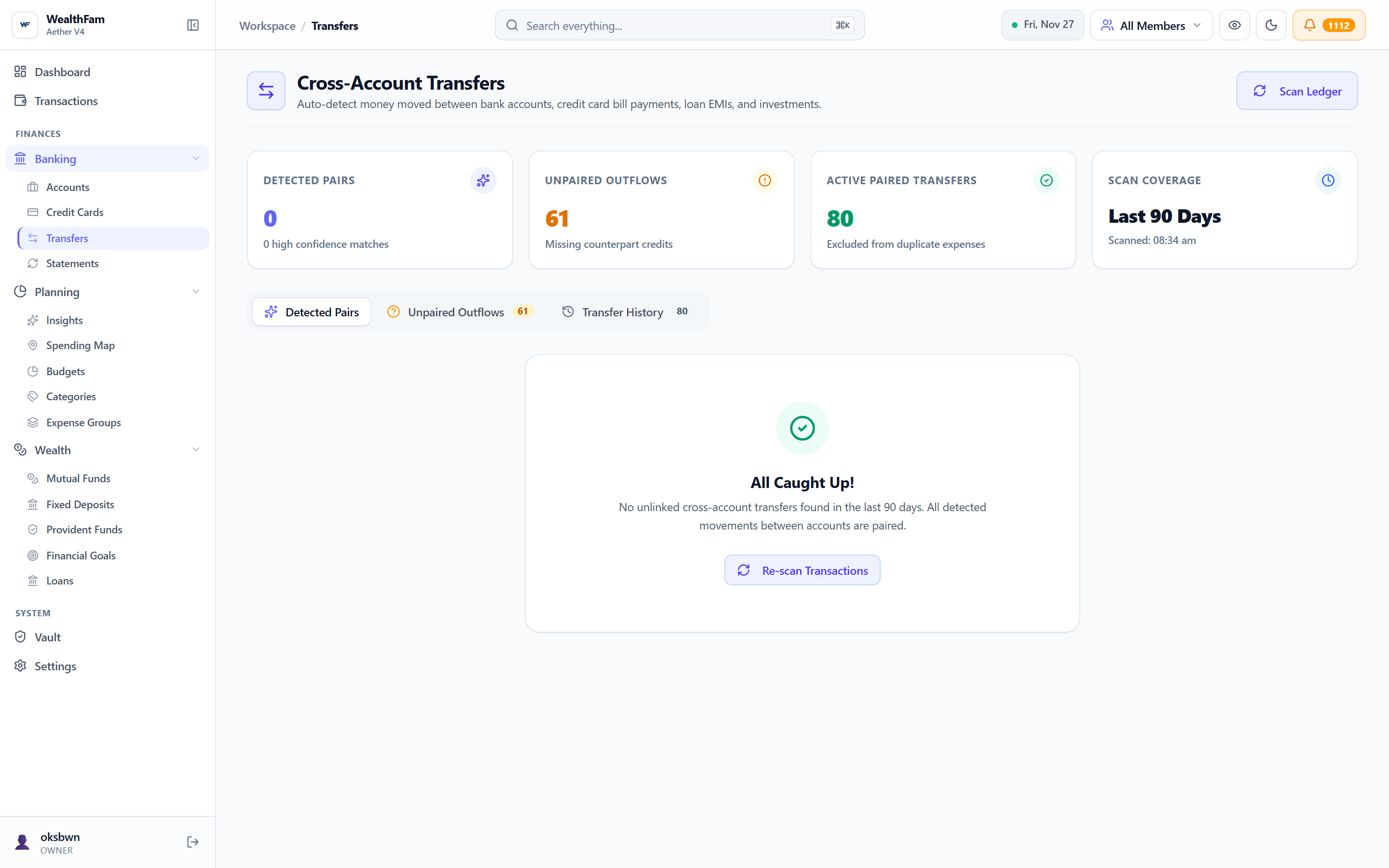
Moving ₹25,000 from your salary account to pay your credit card bill is not an expense—it is a transfer. WealthFam’s heuristic engine spots matching legs automatically.
Step-by-Step
- 1Open Transfers from the sidebar (or jump in from the Attention Hub whenever new transfer pairs are detected).
- 2Review suggested pairs side-by-side and click Approve to link both legs bilaterally.
- 3If only one side exists (for example, an unlinked wallet or a bill payment with cashback), click Generate Counterpart Leg and adjust the receiving amount if needed.
- Zero Expense Inflation: Paired transfers are automatically flagged and excluded from spending budgets and cashflow reports.
- Credit Card Sync: Pairing a bank-to-card payment automatically updates the card’s remaining statement balance.
app.wealthfam.in/transfers
 Tap to zoom