
Chapter 11 of 14Planning & Automation 5 min read
Spending Map, Insights & Recurring Bills
Explore GPS-tagged spending on a full-screen interactive map, analyze family wealth trends, and automate recurring subscriptions and bills.
Location-Based Transactions & Full-Screen Spending Map
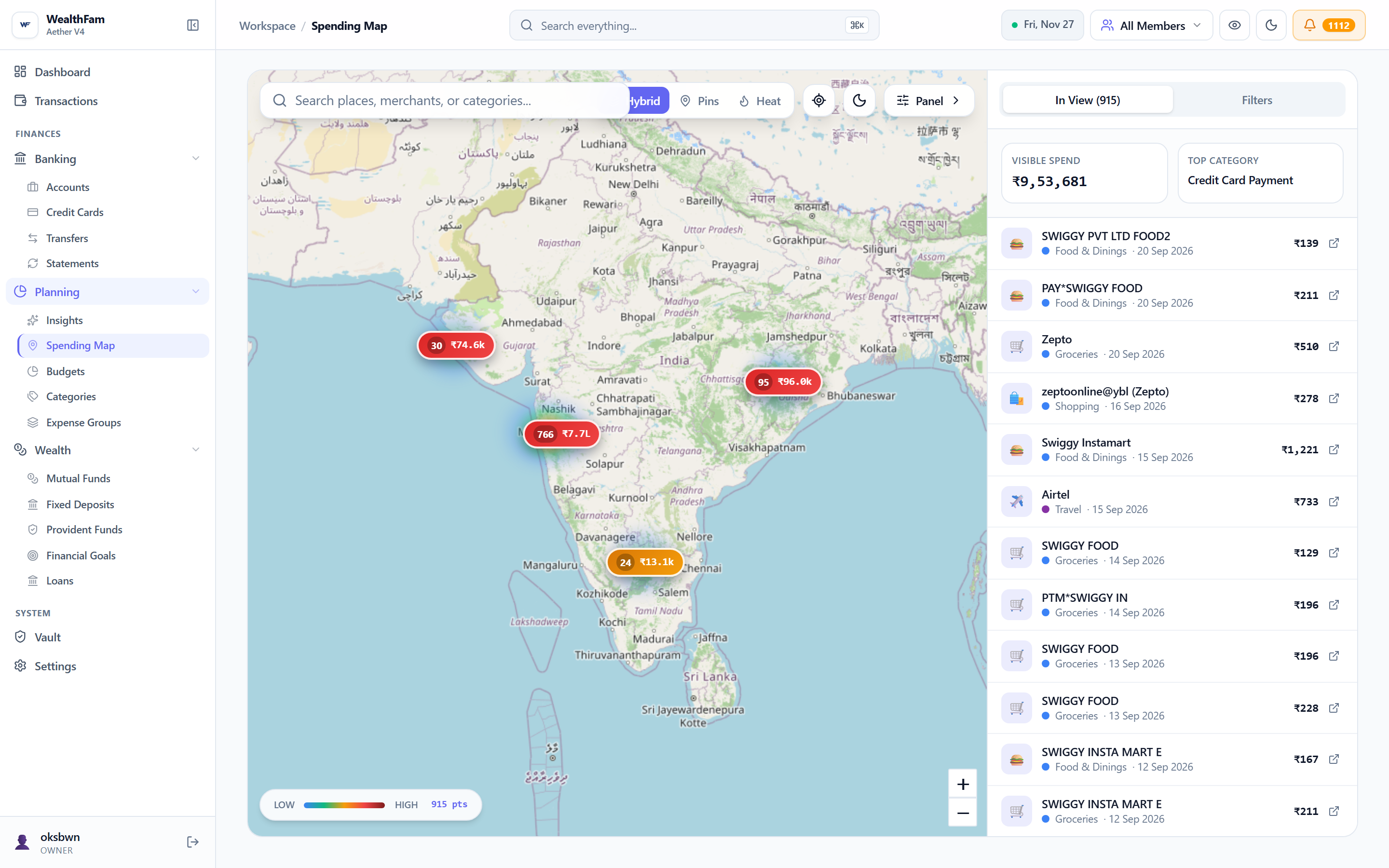
When your Android app captures a bank SMS, it automatically attaches GPS coordinates using fast cell/Wi-Fi/GPS triangulation (with a smart 6-hour cached location fallback if you are indoors or underground). Coordinates are encrypted at rest before storage so you can visually explore where your money goes in complete privacy.
- Hybrid, Pins & Heat Layers: Switch between spend-tiered cluster pins (N · ₹sum), density heatmaps, or both combined.
- Pin Filters & Live Viewport Inspector: Filter by date range, categories, accounts, expense groups, and amount range. The In View panel updates visible spend, top category, and clickable transactions as you pan and zoom.
- Privacy-First Place & Merchant Search: Search merchants locally or jump to any city/neighborhood via OpenStreetMap Nominatim—only the place name you type is queried; zero transaction data is ever shared externally.
app.wealthfam.in/spending-map
Encrypted GPS
 Tap to zoom
Deep Analytics & Family Wealth Comparison
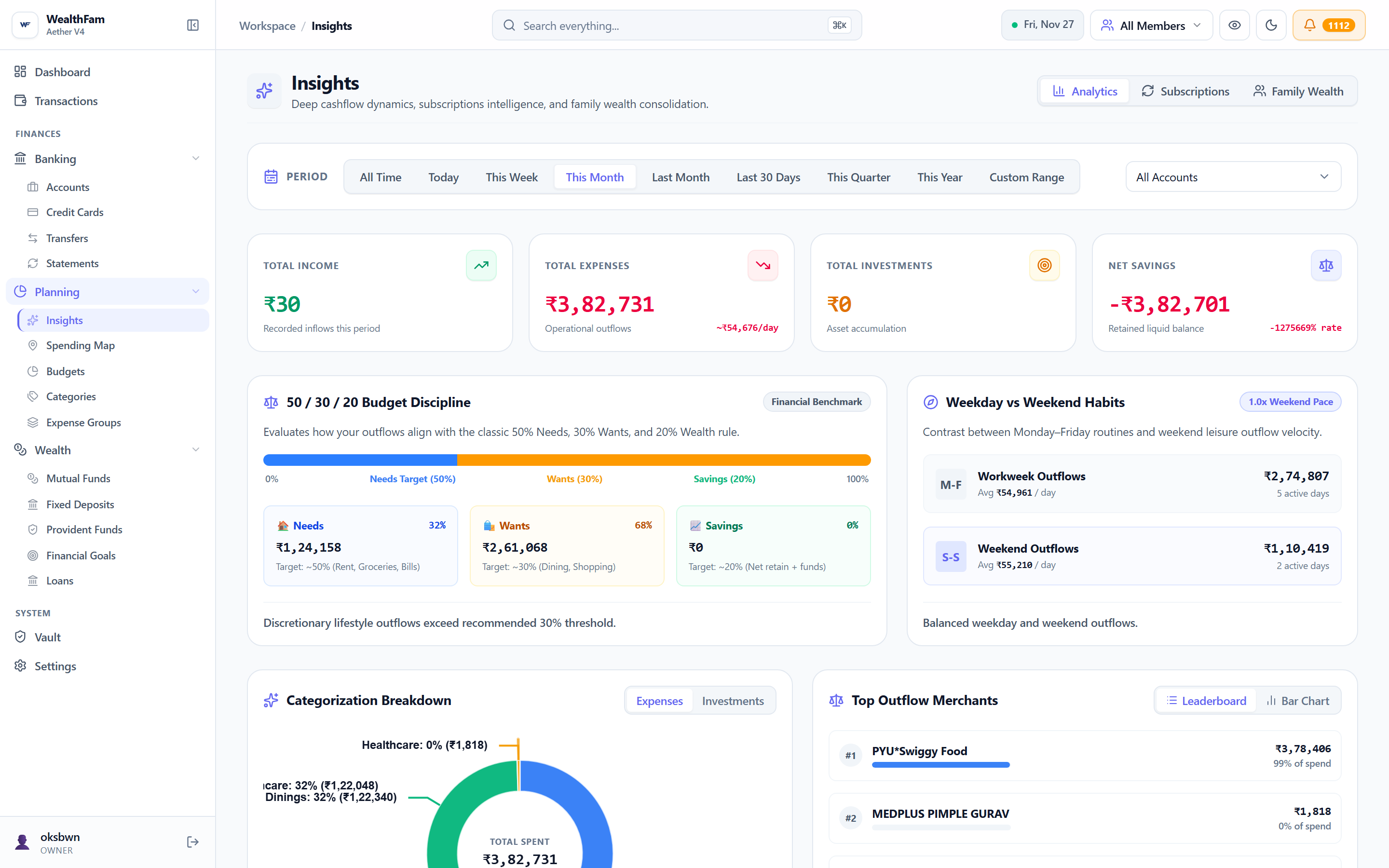
Open Insights to dive into long-term cashflow analytics, category trends, and member-by-member Family Wealth breakdowns.
app.wealthfam.in/insights
 Tap to zoom
Recurring Transactions & Subscription Tracking
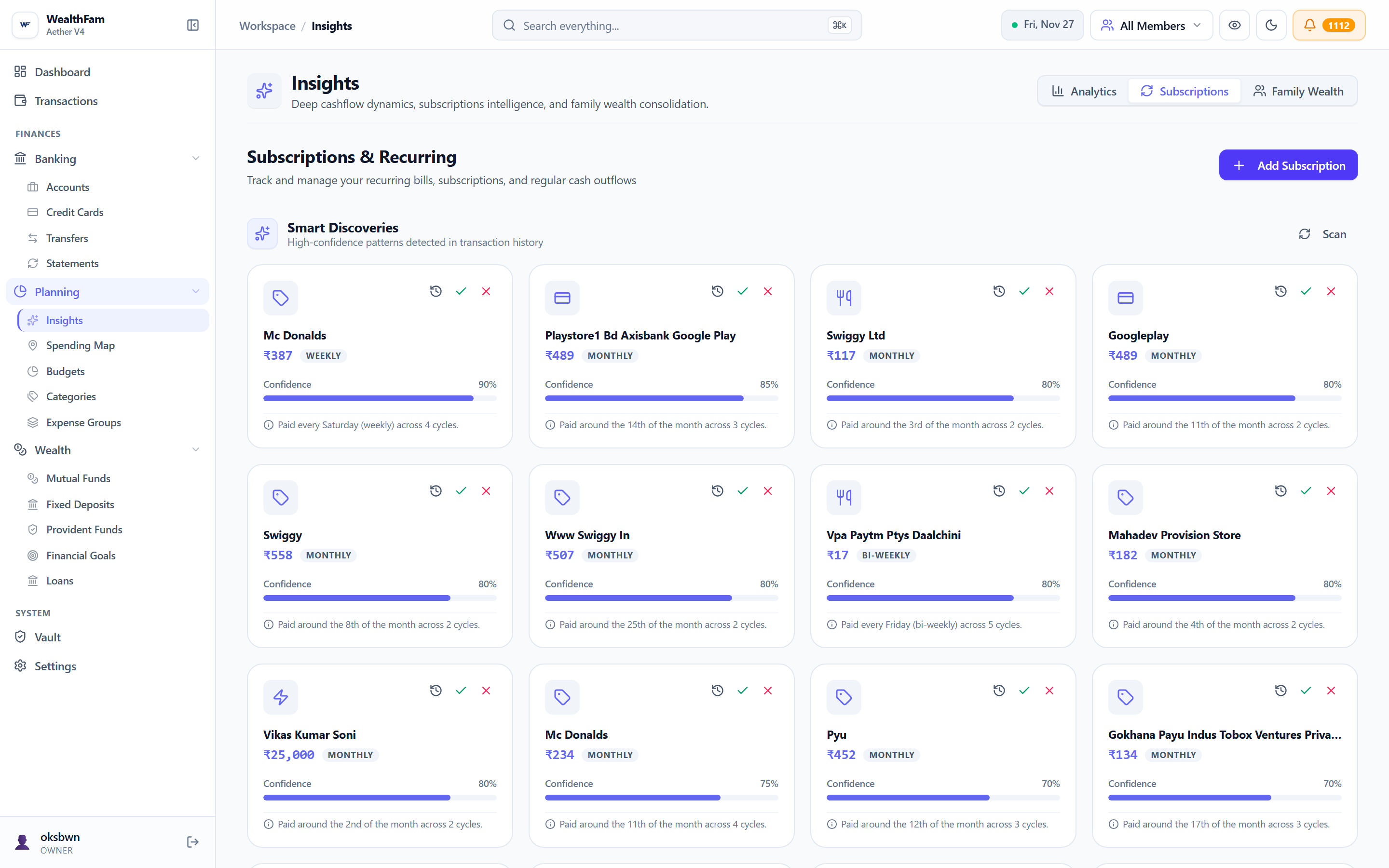
Never get surprised by an annual renewal or monthly utility bill. Track Netflix, rent, broadband, insurance, and SIPs in one calendar.
Step-by-Step
- 1Switch to Insights → Recurring and click Add Recurring.
- 2Enter the name, amount, Debit/Credit type, frequency (Daily, Weekly, Bi-Weekly, Monthly, Quarterly, or Yearly), start date, and account.
- 3WealthFam automatically schedules upcoming obligations into your Dashboard 30-day timeline and alerts you when new recurring patterns are detected.
app.wealthfam.in/insights
 Tap to zoom