
Chapter 5 of 14Accounts & Ingestion 3 min read
Credit Cards & Billing Cycle Intelligence
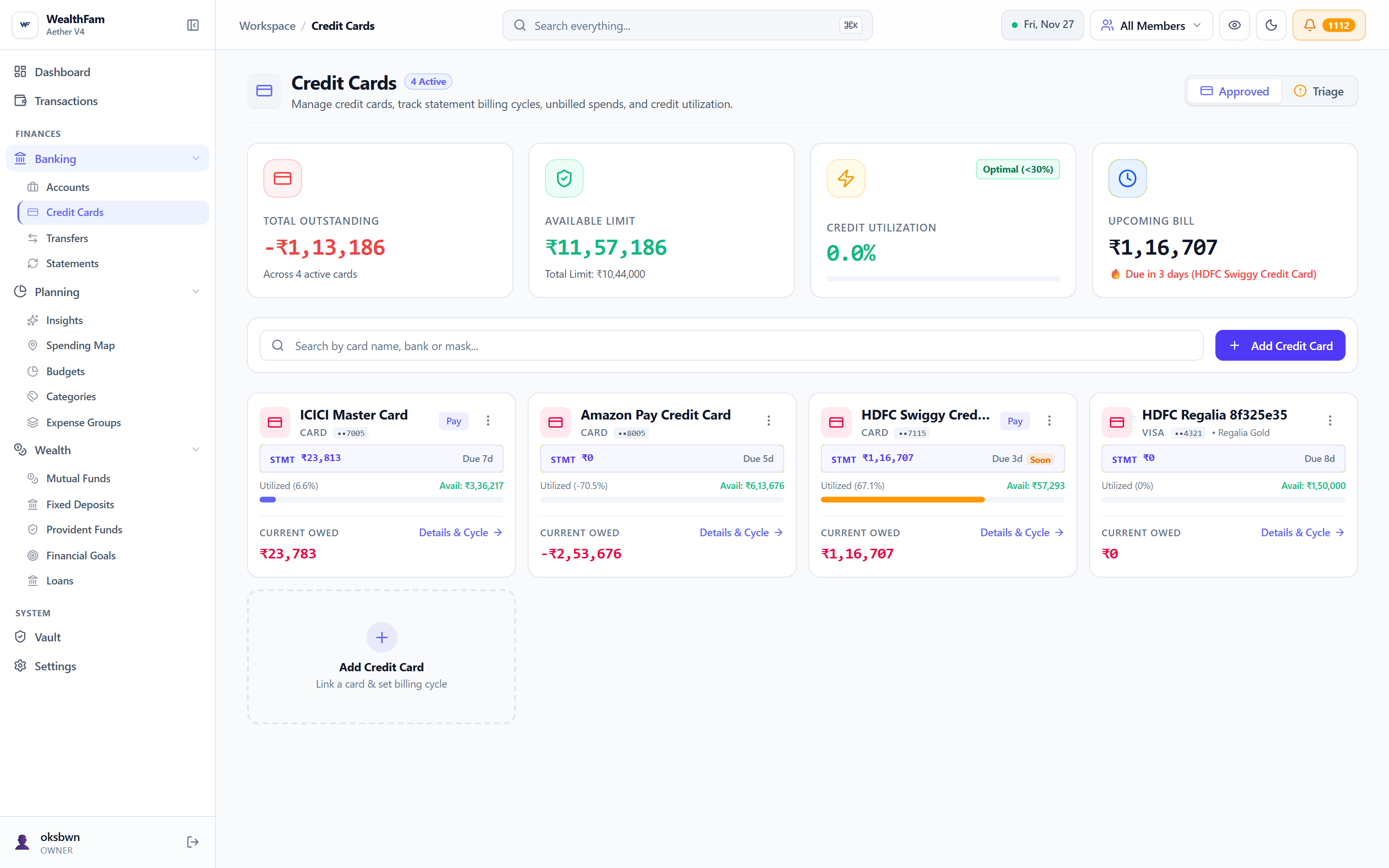
Track billing cycles, statement balance vs. unbilled spend, 30% bureau utilization limits, and due date countdowns across all household cards.
Automated Statement Balance & Unbilled Spend
Once you enter your Billing Day, Due Day, and Credit Limit, WealthFam automatically separates what is due on your last statement from fresh purchases in the current cycle.
Step-by-Step
- 1Open Credit Cards from the sidebar to see every card’s total limit, current due, available headroom, and utilization percentage.
- 2Click any card to open Credit Card Details for cycle-by-cycle spend breakdowns, minimum payment due, and recent card transactions.
- 3Keep an eye on the 30% Bureau Safe Threshold meter—WealthFam highlights cards approaching high utilization so your credit score stays healthy.
- Smart Statement Balance Calculation: Computes exact payable statement balance even when bank SMS messages only report total outstanding.
- Due Date Alerts: Cards due within 5 days (or overdue) automatically surface in the global Attention Hub.
- Seamless Bill Payment Pairing: Paying your card from a bank account automatically pairs as a transfer and reduces the card’s statement balance without counting as a duplicate expense.
app.wealthfam.in/credit-cards
 Tap to zoom