
Statements, Email Sync & Ingestion Control
Upload or auto-fetch bank, credit card, and Mutual Fund CAS PDFs, reconcile in bulk, configure IMAP email sync, and block noisy promotional emails.
Uploading, Unlocking & Reconciling Statements (Banks, Cards, Mutual Funds & Stocks)
Backfill months of history or reconcile monthly bank, credit card, and CAMS/KFintech/CDSL/NSDL CAS PDF statements—including mutual funds and stock/demat holdings—in seconds.
Step-by-Step
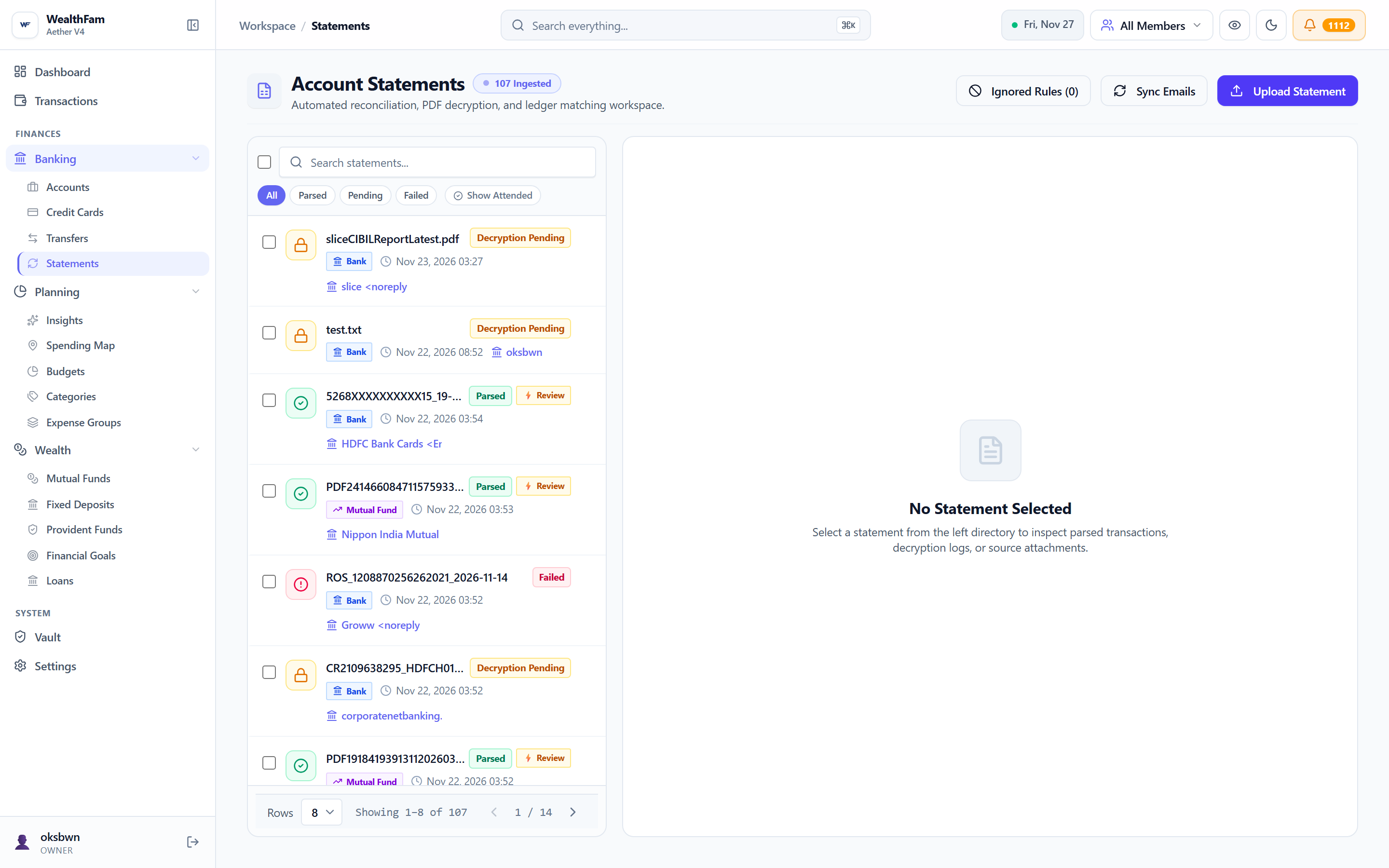
- 1Go to Statements and click Upload Statement to drop a bank, credit card, or CAS PDF statement (up to 15 MB). For CSV/Excel files, use Transactions → Import CSV.
- 2Password-protected PDFs are auto-unlocked using your optional profile details (Name, DOB, and PAN—the standard password patterns Indian banks and depositories use). If a custom password is needed, click Unlock / Reprocess to enter it once.
- 3Click Reconcile to review extracted rows with searchable category pickers. Toggle Save Rule on any new merchant so future statements categorize automatically.
- 4Click Confirm Import to move selected entries into your ledger—matching Triage items are automatically promoted and deduplicated.
- Automatic Statement Detection from Email: With Email Sync enabled, WealthFam automatically detects bank e-statements, credit card bills, and CAMS/KFintech/CDSL/NSDL CAS PDFs in your inbox, saves them to your encrypted Vault, unlocks them, and queues them here ready for 1-click reconciliation.
- Smart Ledger Matching & Triage Auto-Promotion: During reconciliation, rows already captured via SMS or manual entry are automatically badged as ✓ Matched to prevent double-counting, while matching pending Triage items are auto-promoted into your official ledger.
- Attended Statements Hidden by Default: Finished statements stay out of your way. Click Mark Attended when done (your inspector auto-advances to the next pending statement), or toggle Show Attended / Showing Attended whenever you need to audit or Reopen a past statement.
- Mutual Fund & Stock CAS Import: Automatically parses CAMS, KFintech, CDSL eCAS, NSDL CAS (including mutual funds and demat stock/equity holdings), and AMC statements, badges existing orders as Duplicate, and lets you Import to Portfolio with one click.
- Full Statement CRUD & Ignore Rules: Edit display filename (synced to Vault), change linked account, single/bulk delete with optional Vault PDF removal, or block recurring promotional PDFs permanently.
 Tap to zoom
Why Are PAN & Date of Birth (DOB) Asked?
PAN and DOB are 100% optional. Indian banks, credit cards, and NSDL/CDSL/CAMS lock PDF statements with passwords built from your name, DOB, and PAN (e.g., first 4 letters of name + DDMM, or your PAN). Saving them in your profile lets WealthFam auto-unlock statements locally without asking every month—and they are encrypted at rest with AES-256-GCM.
Zero-Touch Email Sync (IMAP Setup)
Connect your mailbox once using an App Password and let WealthFam check every 3 hours for email transaction alerts, monthly bank & credit card e-statements, and CAS PDFs.
Step-by-Step
- 1For Gmail: Enable 2-Step Verification in your Google Account (myaccount.google.com/security), open App Passwords, create one named "WealthFam", and copy the 16-character password (never use your main Google password).
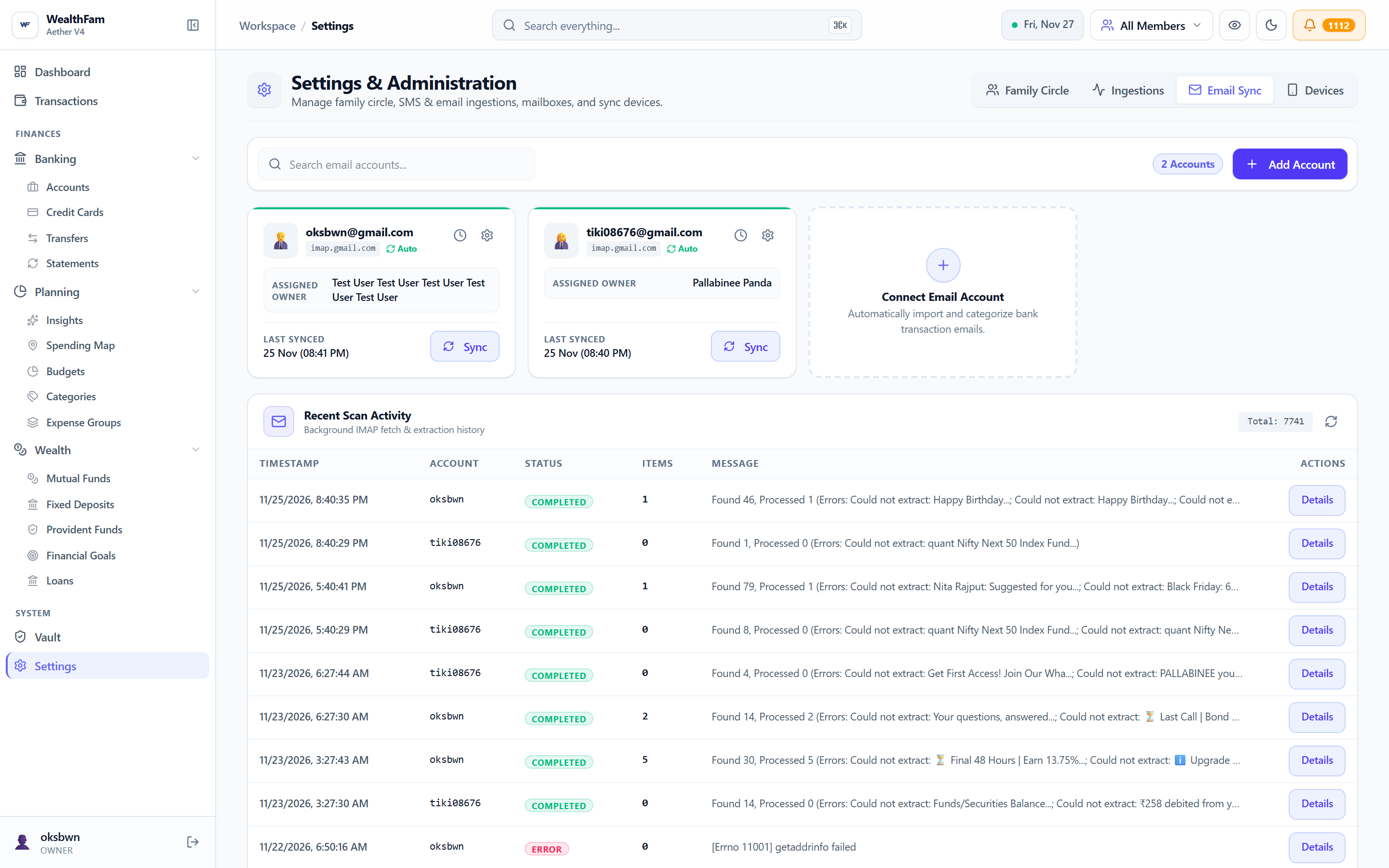
- 2In WealthFam, navigate to Settings → Email Sync and click Add Email Configuration.
- 3Enter your IMAP server (e.g., imap.gmail.com for Gmail, outlook.office365.com for Outlook, imap.mail.yahoo.com for Yahoo), your email address, and the App Password.
- 4Enable Auto-Sync for automatic 3-hour checks of both instant transaction alert emails and PDF e-statements, or click Sync Now anytime for an immediate scan.
 Tap to zoom
Zero-Retention Email Processing
Your IMAP password is encrypted with AES-256-GCM. Raw email bodies and OTPs are parsed in memory and immediately discarded—never hoarded in the database.
Ingestion Activity, Ignore Rules & Anonymized Feedback
Inspect every SMS and email outcome in plain language, block promotional PDFs permanently, and optionally help improve bank alert support without sharing personal details.
Step-by-Step
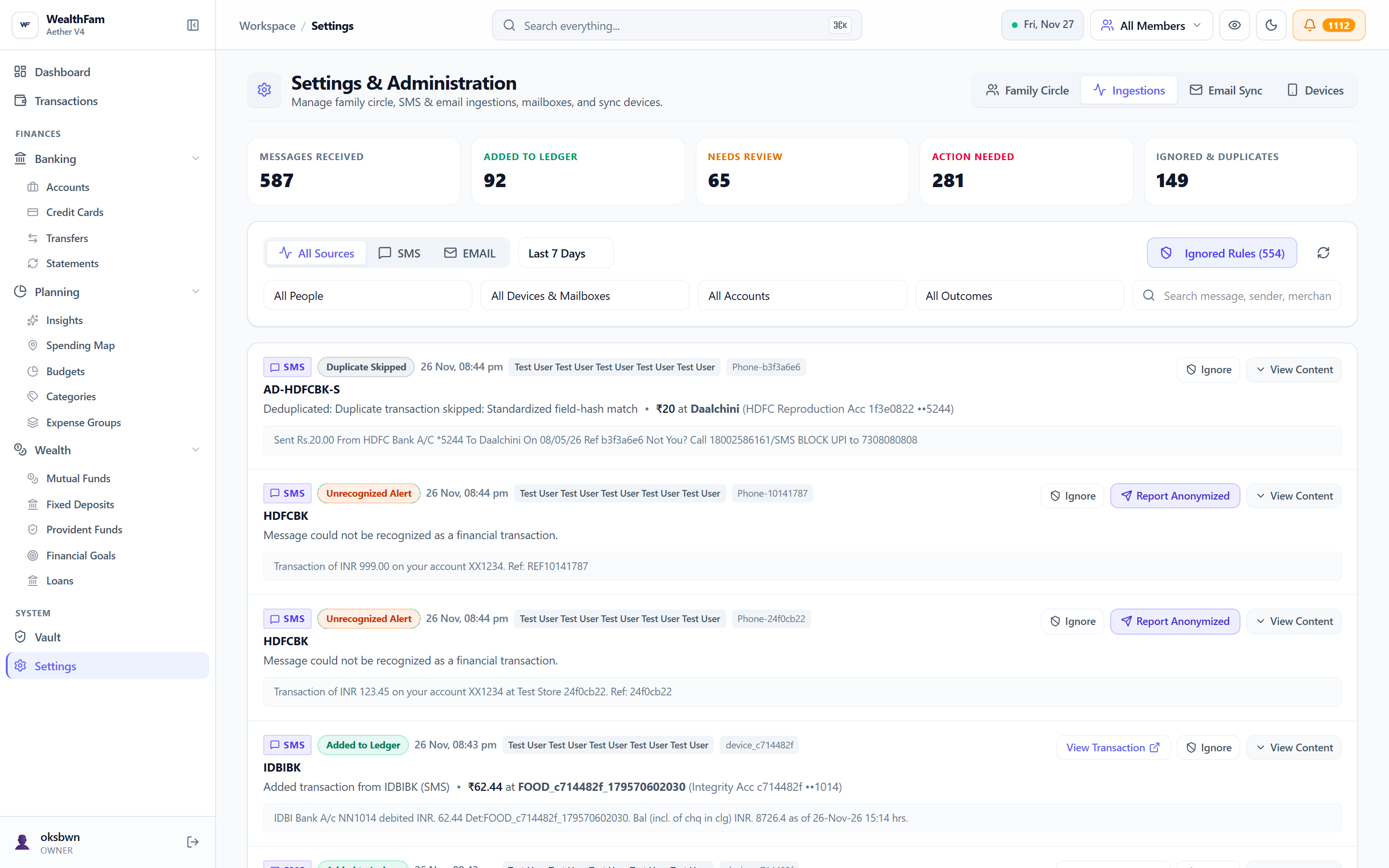
- 1Open Settings → Ingestions to filter activity by Date Range, Person, Source (SMS/Email), Account, or Outcome (Added to Ledger, Needs Review, Duplicate Skipped, Ignored by Rule, Non-Financial/OTP, Unrecognized Alert).
- 2Click Ignore on any noisy sender, subject, or filename keyword (for SMS, Email, or PDF Statements) to block future noise—and click Allow anytime to reverse it.
- 3For an Unrecognized Alert, click Report Anonymized to preview the scrubbed template (all amounts, account digits, dates, names, and OTPs replaced with placeholders) before explicitly consenting to share.
 Tap to zoom