
Chapter 3 of 14Accounts & Ingestion 3 min read
Accounts & Auto-Account Discovery
Set up bank accounts, wallets, credit cards, and loans—and let WealthFam automatically discover new accounts from incoming bank alerts.
Adding & Organizing Your Accounts
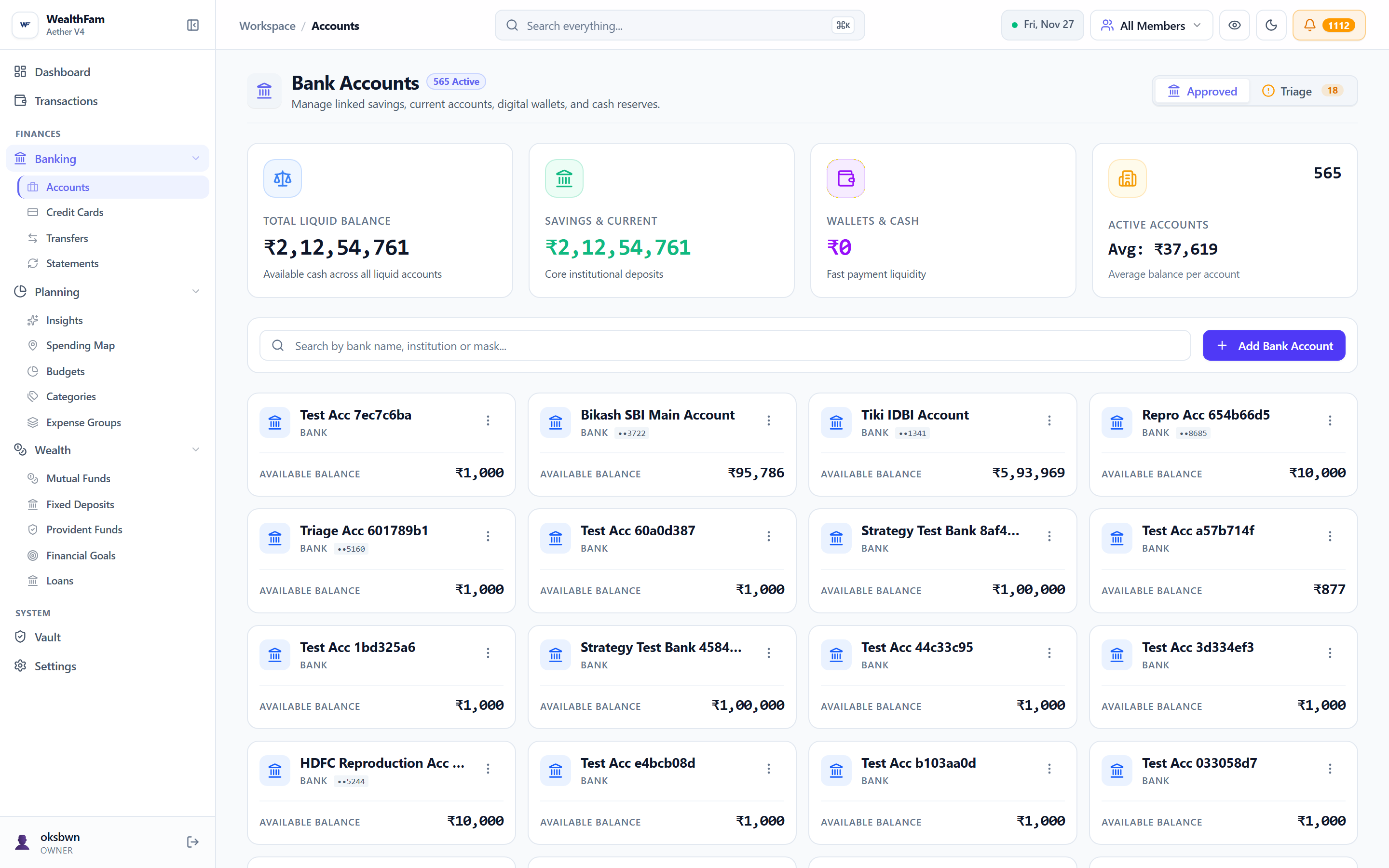
Your Accounts page gives you a unified view of liquid savings, checking accounts, digital wallets (Paytm, PhonePe, etc.), credit cards, and linked loans.
Step-by-Step
- 1Open Accounts from the sidebar and click Add Account.
- 2Choose the account type (Bank, Credit Card, Wallet, or Loan) and enter your institution name and opening balance.
- 3Enter the Account Mask—the last 4 digits that appear in bank SMS alerts (e.g., XX1234). This lets WealthFam automatically route every incoming alert to the right account.
- 4Click any account card to open Account Details for its full ledger, balance history snapshots, and reconciliation status.
app.wealthfam.in/accounts
 Tap to zoom
Full account numbers are encrypted at rest
Only the short 4-digit mask (like XX1234) is used for SMS matching. Full account numbers are AES-256-GCM encrypted in the database.
Auto-Account Discovery
If a bank SMS or email arrives for an account you haven’t added yet, WealthFam never drops the transaction. It automatically creates a placeholder "Detected" account marked with an Unverified badge.
Step-by-Step
- 1Look for accounts badged Unverified (e.g., "Detected: SMS (XX4821)").
- 2Click Edit, give it a friendly name like "HDFC Salary Account", and click Verify.
- 3Every past and future transaction for that mask immediately links to your verified account.