
Family Dashboard & Attention Hub
Master your real-time net worth overview, Wealth Compass gauges, continuous cashflow timeline, credit wallet, Dark Mode, Global Search, and the unified Action Required center.
Your Daily Financial Overview
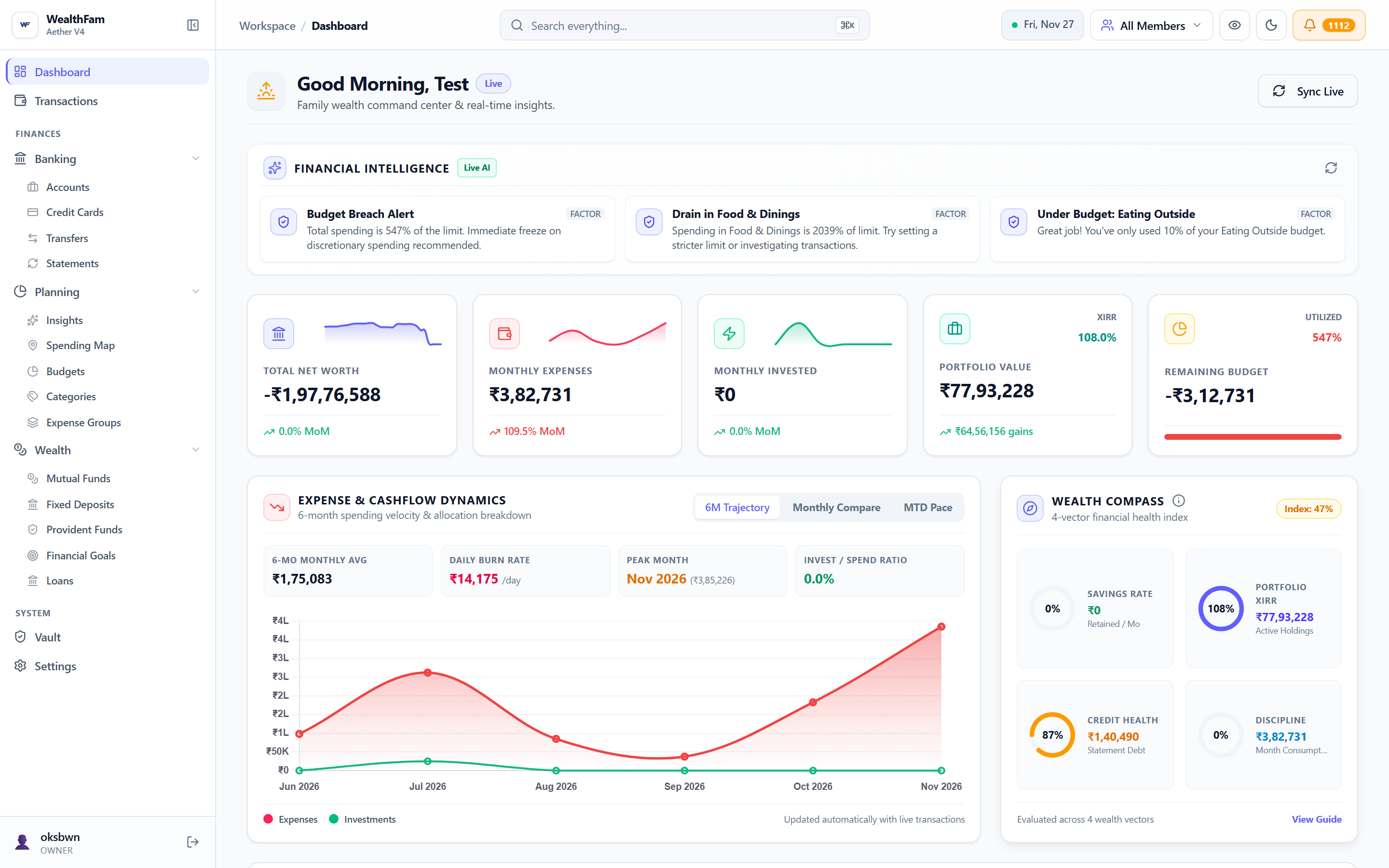
The Dashboard brings your entire household balance sheet into one calm, clear view—strictly separating Operating Income, Living Expenses (with refunds netted automatically), Investments, and Internal Transfers, in Light or Dark mode.
- Net Worth & Top KPIs: Live Bank + Investments − Debt with 30-day sparkline, Monthly Spending vs. last month same-day pace, Mutual Funds value & XIRR %, Remaining Budget, and live market indices (NIFTY 50, SENSEX, Gold, USD/INR).
- Financial Intelligence Bar: A compact horizontal ribbon showing 100% local financial observations with Live vs. Cached status and a 1-click refresh button.
- Wealth Compass (2×2 Gauges): Visual health meters for Savings Rate, Portfolio XIRR, Credit Bureau Health, and Budget Discipline with a composite score.
- Expense Trajectory & Global Search: Switch between 6M Trajectory, Monthly Compare, and MTD Pace—and jump straight to any account, fund, loan, or merchant from Global Search.
 Tap to zoom
Continuous Cashflow Timeline & Credit Wallet
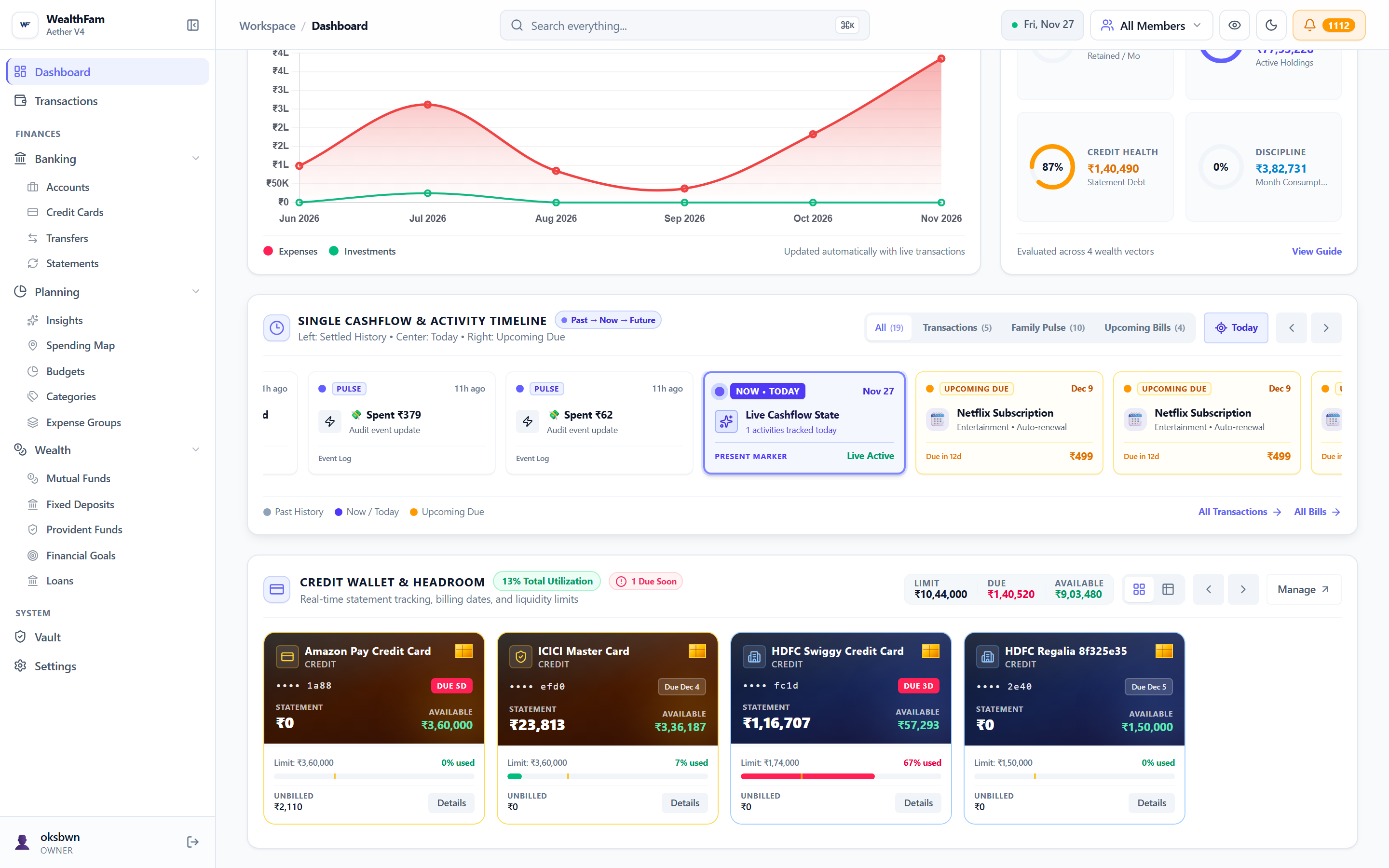
Scroll just below the fold to see past settled activity flowing directly into today and your upcoming 30-day bills—alongside your bank-branded Credit Wallet.
- Past-to-Future Timeline: Past settled transactions on the left, a highlighted Today marker in the center, and upcoming bills/EMIs on the right.
- Credit Wallet: Compact bank-branded cards with statement balance vs. unbilled spend, 30% safe bureau utilization meter, and a toggleable Statement Matrix.
- Activity Pulse: Real-time family updates delivered over authenticated WebSockets without ever leaking tokens in URLs.
 Tap to zoom
Global Attention & Action Required Hub
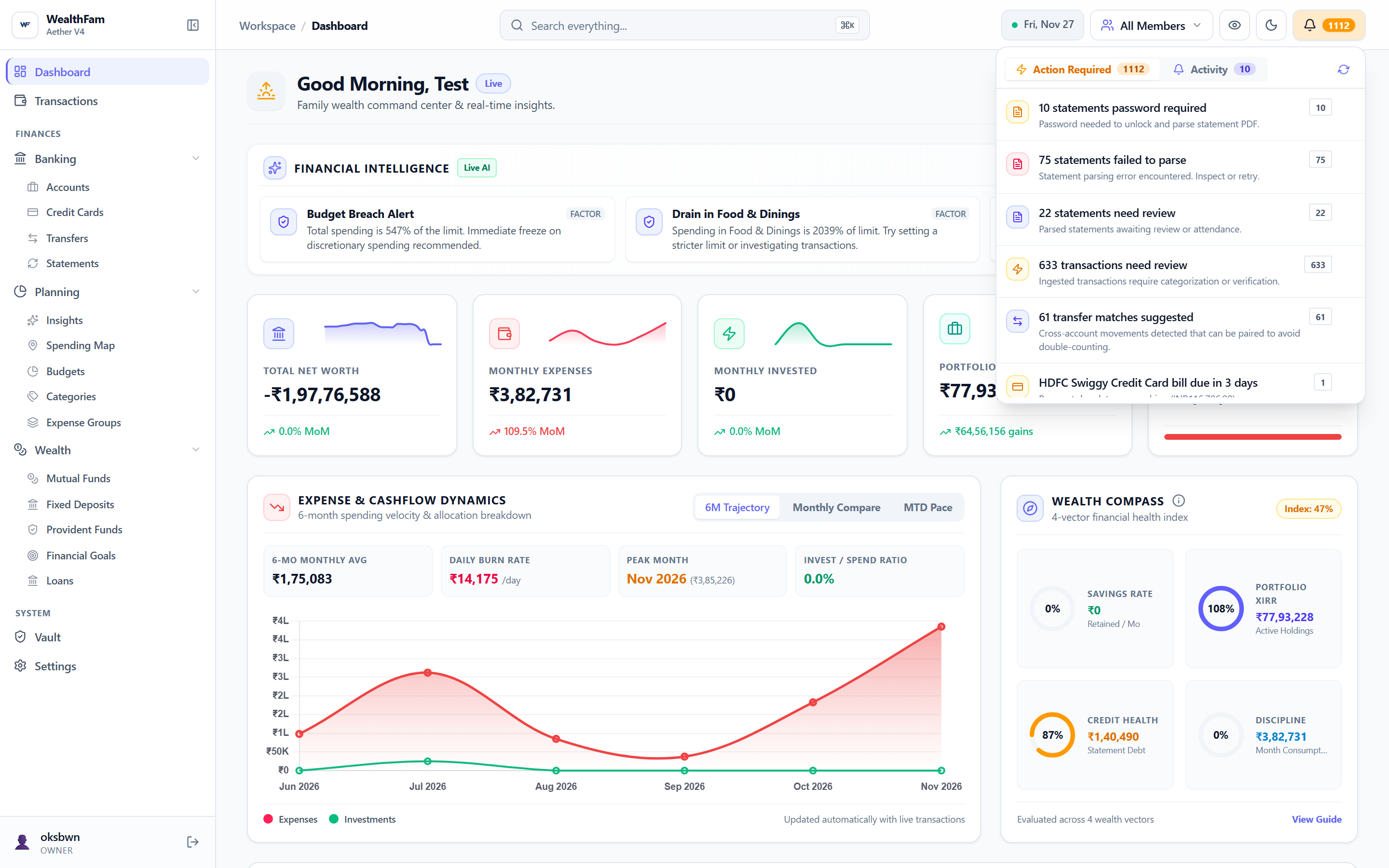
Instead of hunting across ten screens to see what needs your attention, click the top-bar Bell icon (🔔) on Web—or tap the Action Row on Android—to resolve everything in one place.
Step-by-Step
- 1Click the Bell icon in the top header whenever a badge count appears (when everything is handled, it calmly reads "Caught up").
- 2Review pending items grouped by domain and click any item to jump straight to the exact screen or card.
- 3Switch to the Notifications tab inside the drawer to browse real-time alerts and goal milestones.
- Covers all 9 household domains: Pending Triage Transactions, Unattended/Locked Statements, Suggested Cross-Account Transfers, Credit Card Bills Due (≤5 days or overdue), Budget Breaches, Upcoming Loan EMIs, Newly Detected Recurring Bills, Low Bank Balances, and Stale Mutual Fund CAS (>30 days).
 Tap to zoom
One-Click Privacy Masking Mode
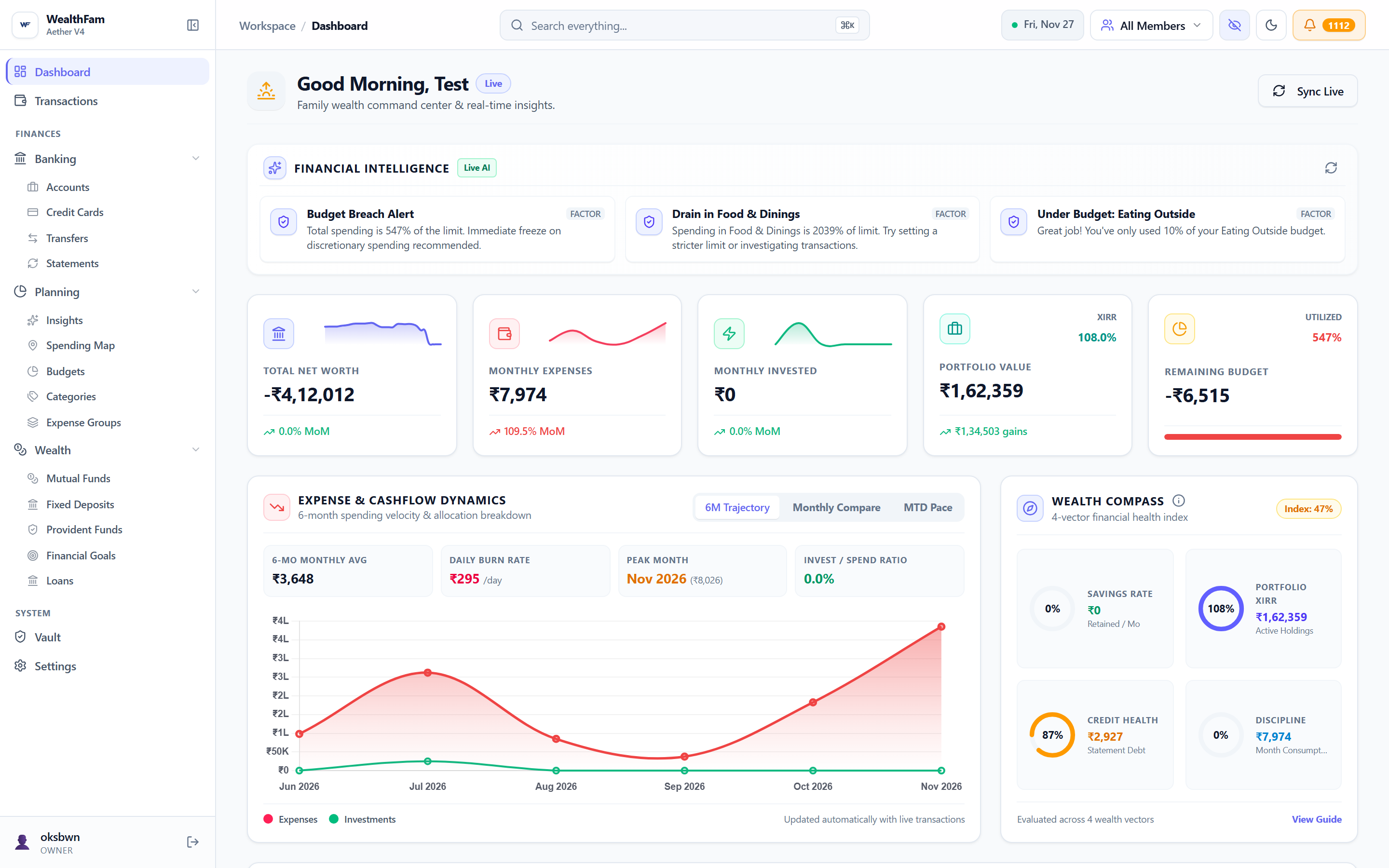
Checking your finances in a café, office, or during a screen share? Click the Eye Icon in the top navigation bar (or tap "Toggle Mask" on the Android notification) to instantly obfuscate all rupee values while keeping percentages and chart trends completely readable.
 Tap to zoom