
Getting Started & Family Circle
Create your private family workspace, invite household members with role-based privacy, approve mobile devices, and keep sessions secure.
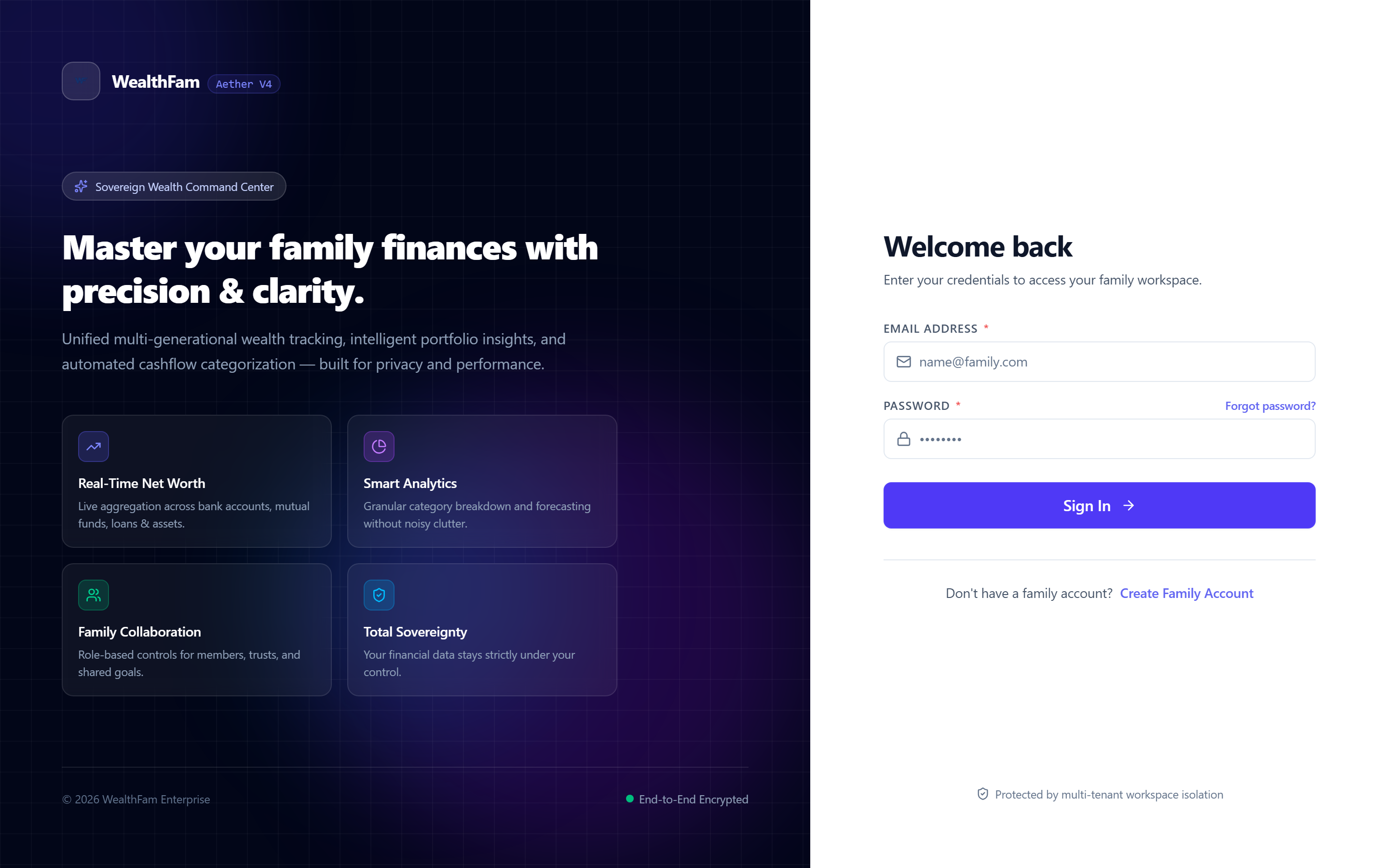
First-Time Registration & Family Workspace
WealthFam organizes every household into a private Family Workspace. When you register, your personal encryption keys are generated and wrapped specifically for your account.
Step-by-Step
- 1Open your WealthFam web URL and click Register.
- 2Enter a Family Name (e.g., "Sharma Household") to create your private workspace.
- 3Fill in your email address, strong password, display name, and optional avatar emoji.
- 4You automatically become the Owner with full administrative control over family roles and device approvals.
 Tap to zoom
Your email and name are never stored in plain text
The moment you sign up, your full name, email, phone number, and PAN are encrypted with AES-256-GCM before being written to the database. Login works via a one-way cryptographic blind index.
Inviting Family Members & Role-Based Privacy
Collaborate across your household while keeping sensitive details appropriately scoped for each member.
Step-by-Step
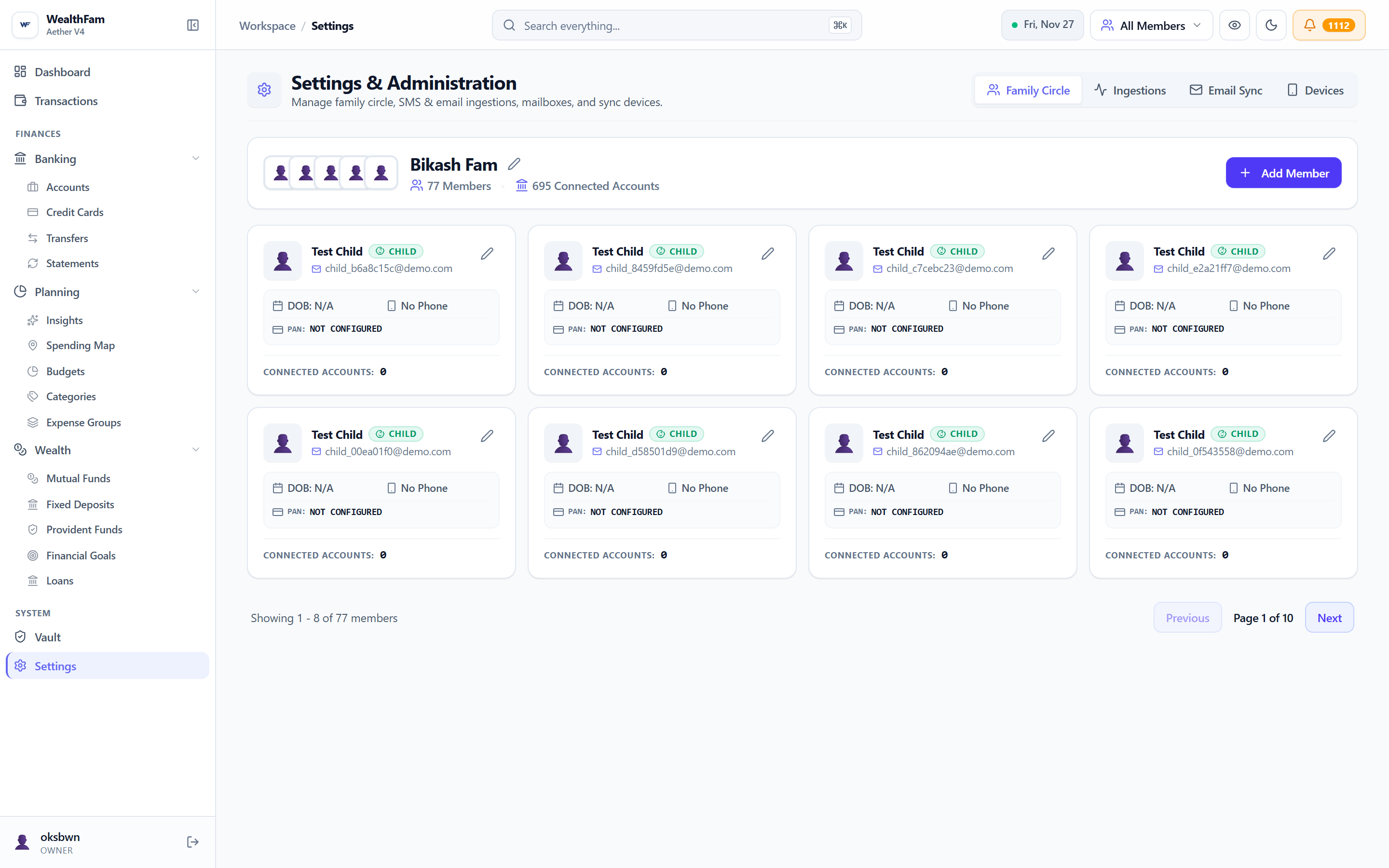
- 1Go to Settings → Family Circle on the web dashboard.
- 2Click Add Member, enter their name, email address, password, and choose their role.
- 3Share your WealthFam URL—they can sign in right away with their credentials and personal encryption key wrapper.
- Owner: Full administrative control over family settings, member roles, and mobile device approvals.
- Adult: Full personal and shared financial access. Private transaction notes stay private unless shared.
- Child (Child Account Shielding): Restricted strictly to personal goals and personal triage—household debts, loans, statements, and parent accounts are automatically hidden.
 Tap to zoom
Device Approval & Automatic Session Security
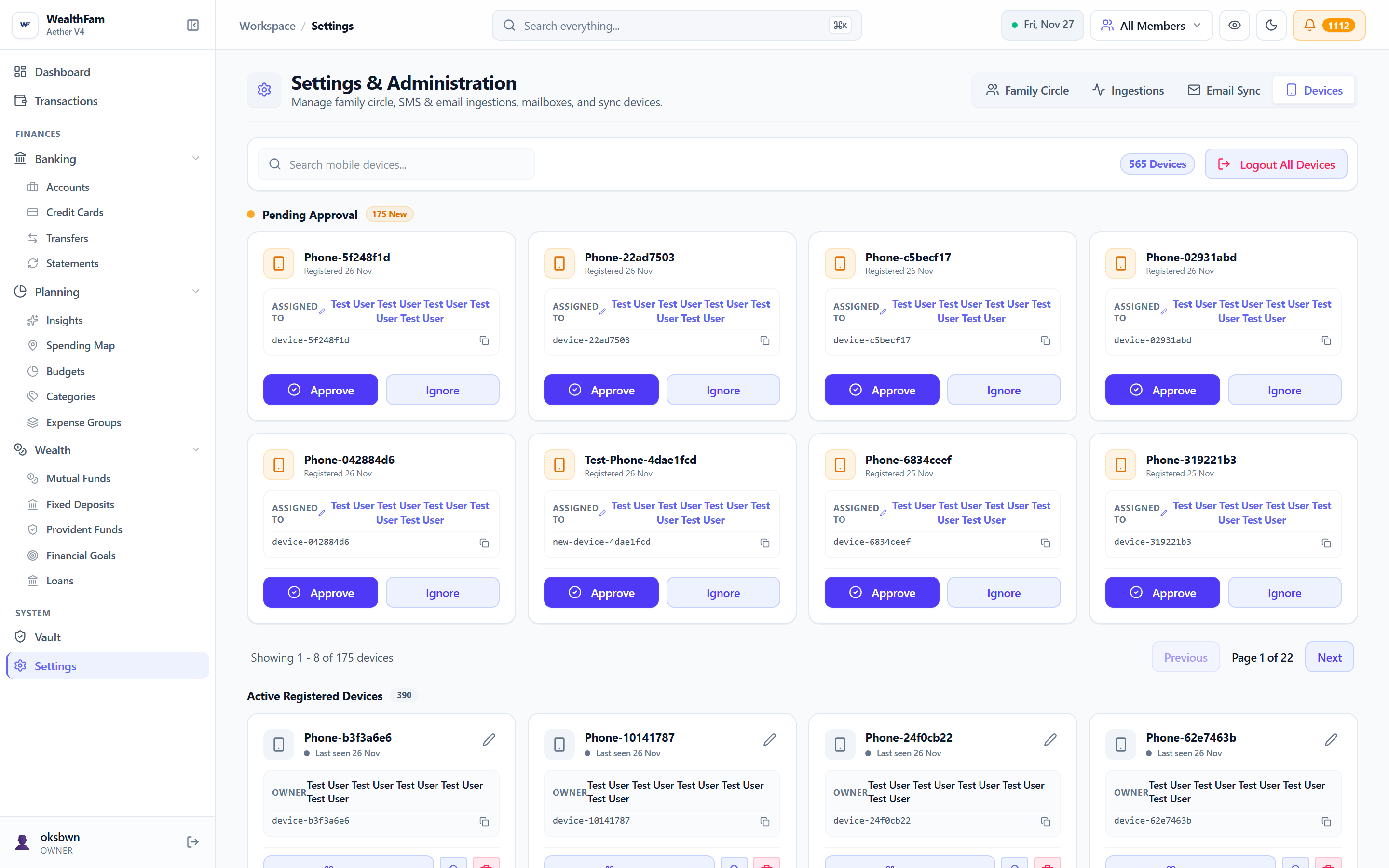
Every Android phone that connects to your workspace generates a unique Device ID and can be reviewed or revoked anytime from the web.
Step-by-Step
- 1Sign in on the WealthFam Android app using your web credentials.
- 2Open Web → Settings → Devices to inspect newly connected devices and approve them before SMS sync begins.
- 3For shared computers, WealthFam automatically monitors inactivity—after 14 minutes idle, a 60-second countdown modal appears so you can click Stay Logged In or let it safely log out across all open tabs.
 Tap to zoom