
Chapter 10 of 14Planning & Automation 5 min read
Budgets, Investment Goals & Expense Groups
Set hierarchical monthly budgets with 80/100/120% alerts, link real assets to family goals, and track event or trip spending with Expense Groups.
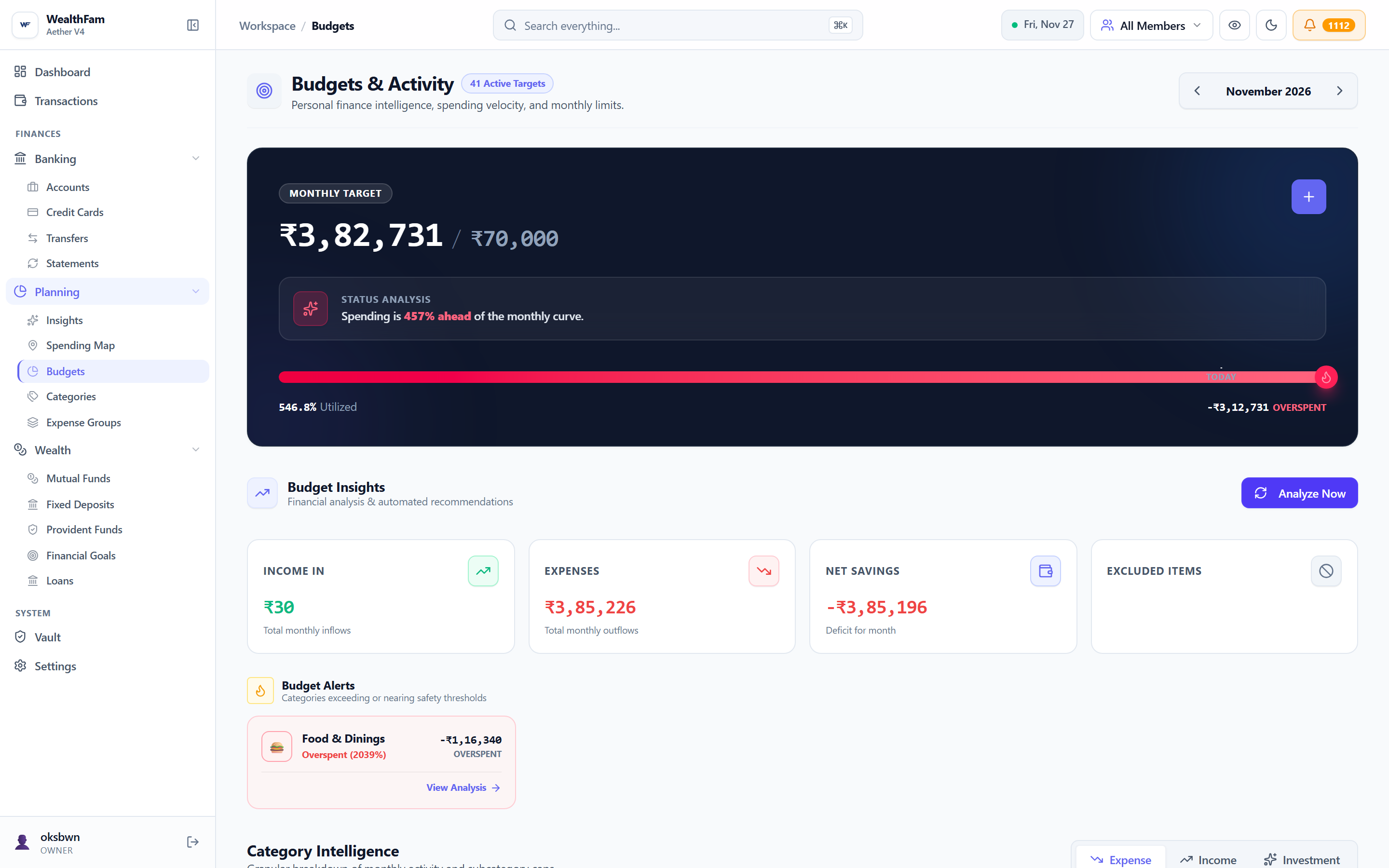
Hierarchical Budgets & Real-Time Alerts
Set an Overall household monthly cap plus individual category budgets. Parent budgets automatically roll up all sub-category spending—so a "Food" budget includes Groceries, Dining Out, and Delivery without manual effort.
- Proactive Threshold Alerts: Automated WebSocket and Android push alerts (checked hourly) at 80% (Info), 100% (Warning), and 120% (Breach).
- Spending Forecast & History: Compare month-by-month trends and see projected end-of-month spend based on your current daily velocity.
app.wealthfam.in/budgets
 Tap to zoom
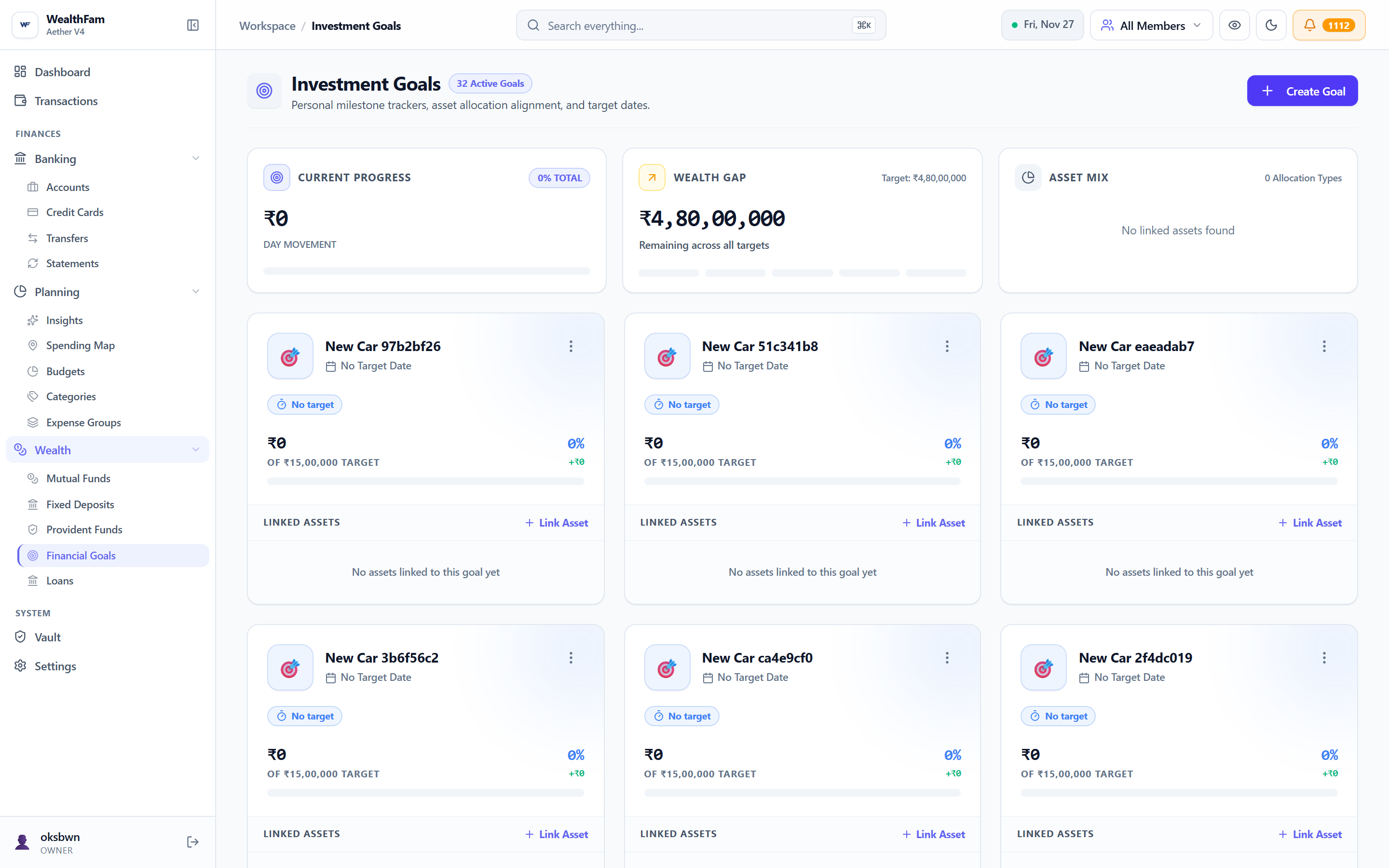
Investment Goals Linked to Live Assets
Plan for Retirement, a Dream Home, Education, or an Emergency Fund—and watch progress update automatically as markets and balances move.
Step-by-Step
- 1Open Investment Goals and click Create Goal with a target amount, optional deadline, icon, color, and owner (individual or whole family).
- 2Link live Mutual Fund holdings (tracks real-time NAV), Bank Accounts (tracks live balance), or Manual Assets (Gold, FDs, EPF).
- 3Whenever a major milestone is crossed, WealthFam celebrates with a real-time Goal Milestone notification to your family.
app.wealthfam.in/investment-goals
 Tap to zoom
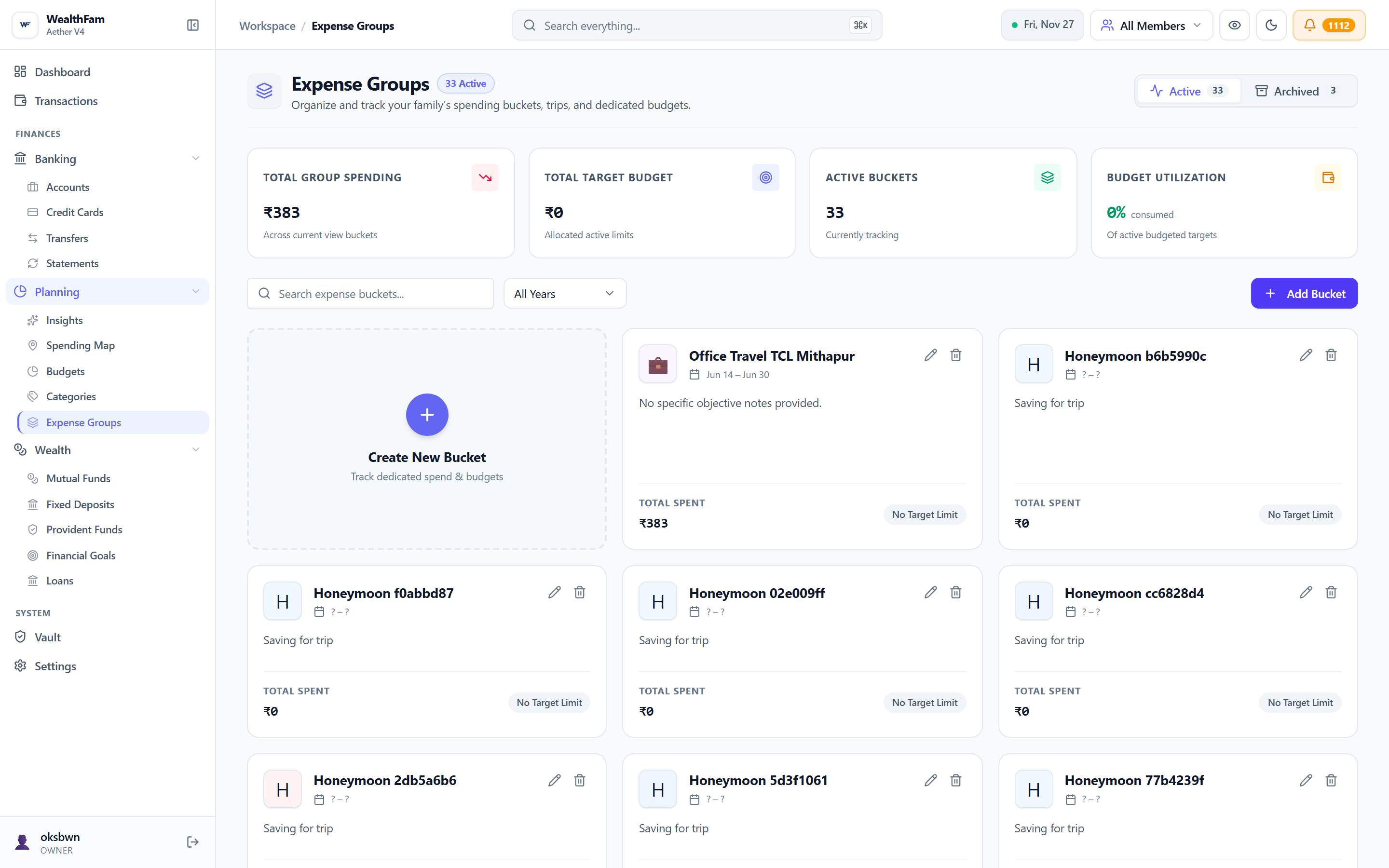
Expense Groups (Trips, Weddings & Projects)
Track multi-category life events—like a "Goa Trip" or "Home Renovation"—with a dedicated budget and date range across flights, hotels, dining, and shopping.
Step-by-Step
- 1Go to Expense Groups, click Create Group, and set a name, emoji icon, total budget, and optional date range.
- 2Assign transactions individually from the Transaction Modal or use Manage Transactions to bulk-assign existing ledger items.
- 3Archive completed groups when an event wraps up—archived groups stay out of active pickers while preserving historical reporting.
app.wealthfam.in/expense-groups
 Tap to zoom