
Encrypted Document Vault
Store tax filings, receipts, insurance policies, and bank statements in nested folders with version history—encrypted in 64KB chunks on disk.
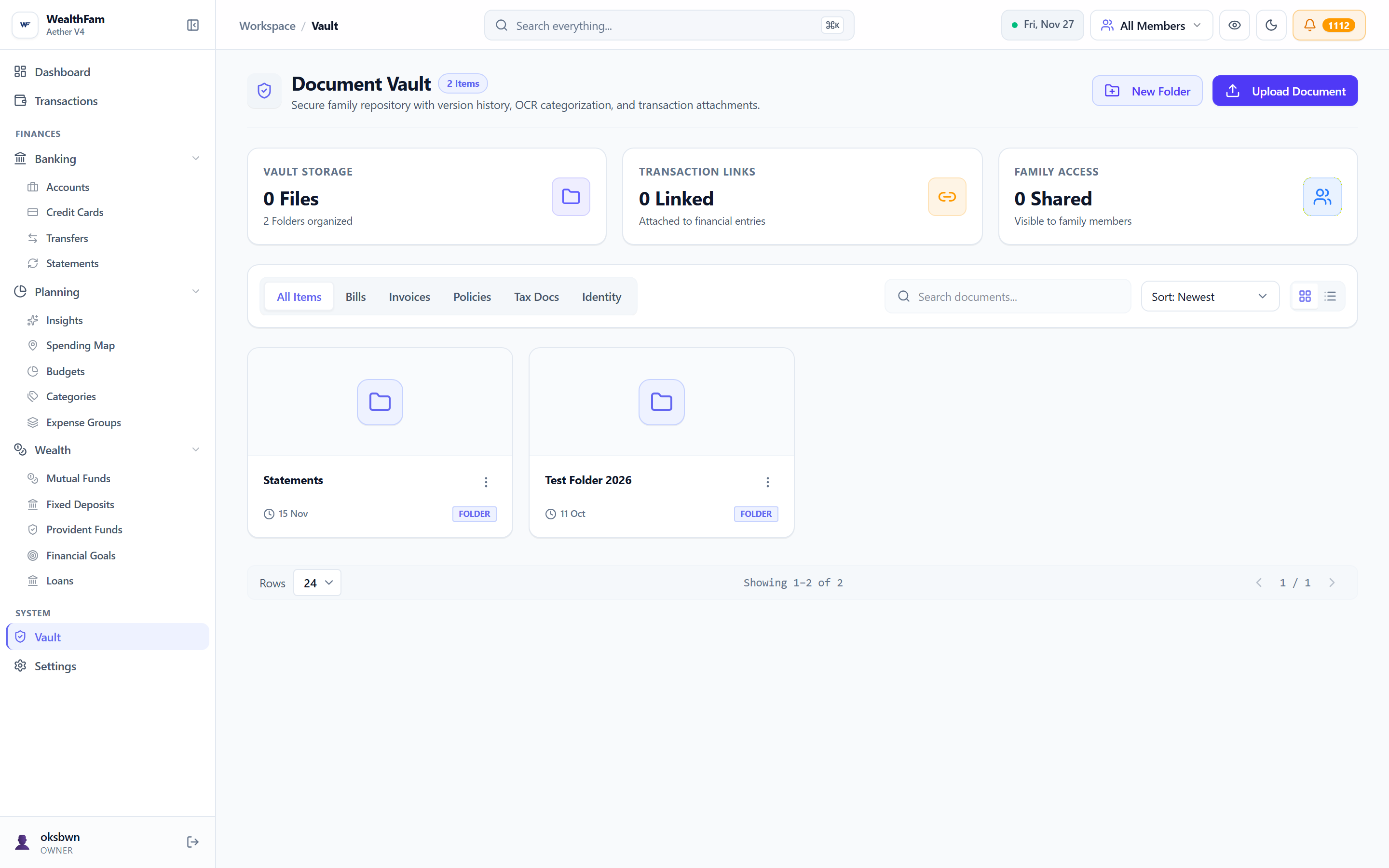
Folders, Version History & Transaction Linking
Your Document Vault keeps every important financial file organized, searchable, and linked directly to the transactions they belong to.
Step-by-Step
- 1Open Vault from the sidebar and create nested folders (e.g., Tax Returns → FY 2025–26, Insurance, Receipts).
- 2Click Upload to add PDFs or images (up to 10 MB per document, 15 MB for statements), optionally setting a Document Type and linking to a transaction.
- 3Re-uploading a file with the same name in the same folder automatically creates Version History (v1, v2, v3...) so older versions are never lost.
- 4Click any file for an instant in-app PDF or image preview—served securely via single-use 60-second tickets and authenticated blobs.
 Tap to zoom
Unreadable even on the server hard drive
Every Vault file and thumbnail is encrypted in 64KB chunks using streaming AES-256-GCM before hitting disk. Even someone with direct server or storage access sees only encrypted binary noise.
Portable System Backup & Restore (.wfam)
Export your entire family workspace—every account, transaction, mutual fund, loan, budget, rule, statement, email config, and Vault file—into a single passphrase-encrypted .wfam archive that works months later or across different servers.
Step-by-Step
- 1Open Settings → Backup & Restore (available to Owner and Adult members; Child and Guest accounts are restricted).
- 2Enter a custom passphrase (at least 8 characters) to encrypt your .wfam archive with PBKDF2-SHA256 + streaming AES-256-GCM, and click Download .wfam Backup.
- 3To restore later (even on a brand-new server), sign in with the owner or any family member email from the backup, upload the .wfam file, enter the passphrase, and click Verify & Preview.
- 4Click Merge & Restore Backup—existing records on the new server keep highest priority and are never wiped, while all backup records are merged with freshly generated IDs and re-encrypted under your new workspace key.
- Server-Independent Portability: Strips old server encryption keys and database UUIDs so backups remain valid across server migrations or fresh signups months later.
- Email Ownership Verification: Blocks unauthorized imports with a clear error unless your signed-in email matches the owner or a family member in the backup.
- Priority-Preserving Merge: Never overwrites existing data on your new server; automatically deduplicates accounts, categories, budgets, holdings, and transactions.