
Chapter 12 of 14Planning & Automation 4 min read
Categories, Rules & Merchant Aliases
Customize hierarchical categories, build prioritized auto-categorization rules, and clean up cryptic bank merchant strings retroactively.
Hierarchical Categories
WealthFam organizes every transaction under strict relational categories (Expense, Income, Investment, Transfer) so your reports have zero uncategorized drift.
Step-by-Step
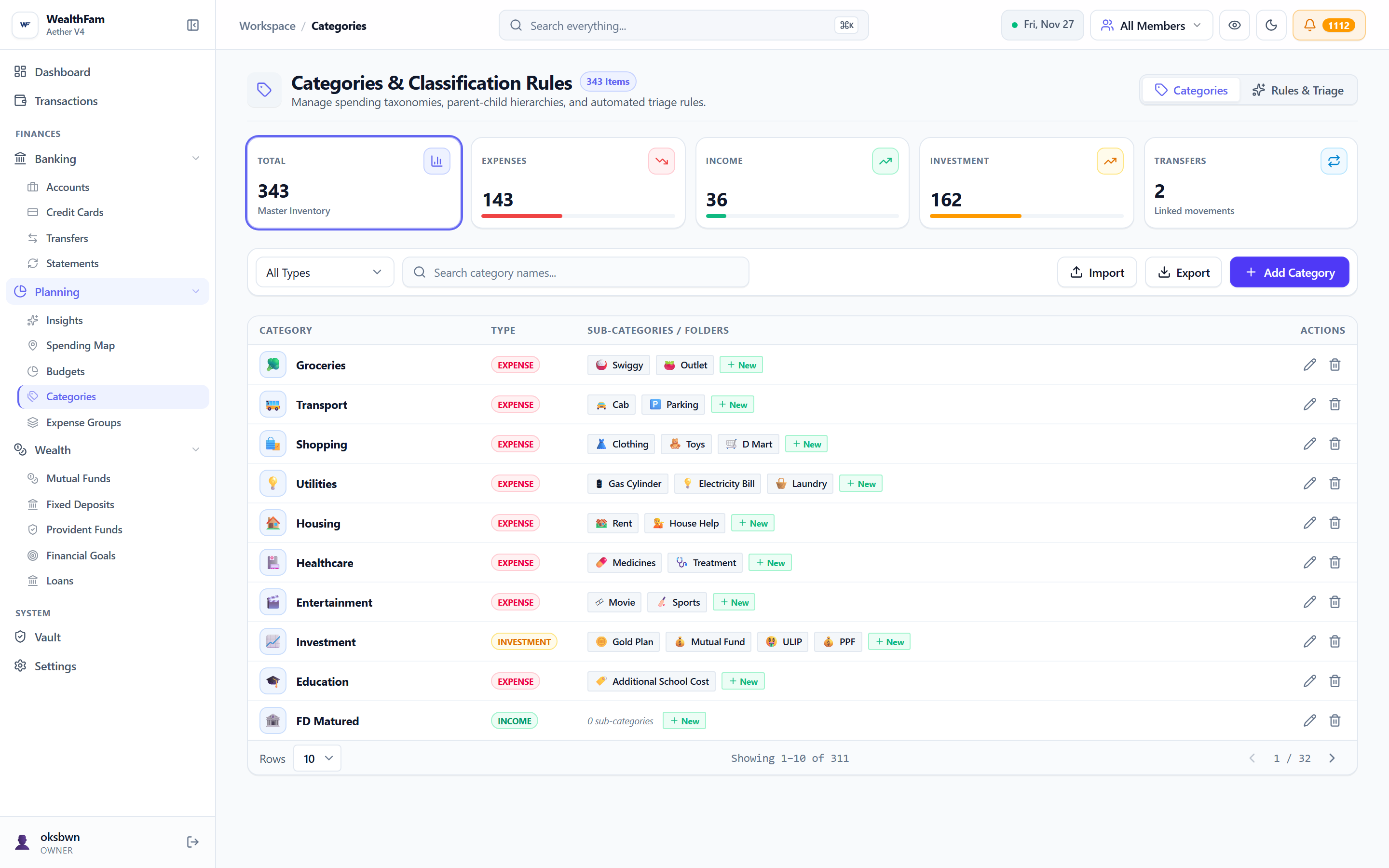
- 1Open Categories from the sidebar to browse or customize your category tree.
- 2Create parent categories (like "Food") and nested sub-categories (like "Groceries", "Dining Out", "Coffee") with custom emojis and colors.
app.wealthfam.in/categories
 Tap to zoom
Prioritized Category Rules & Merchant Aliases
Automate categorization once and enjoy hands-free accuracy forever.
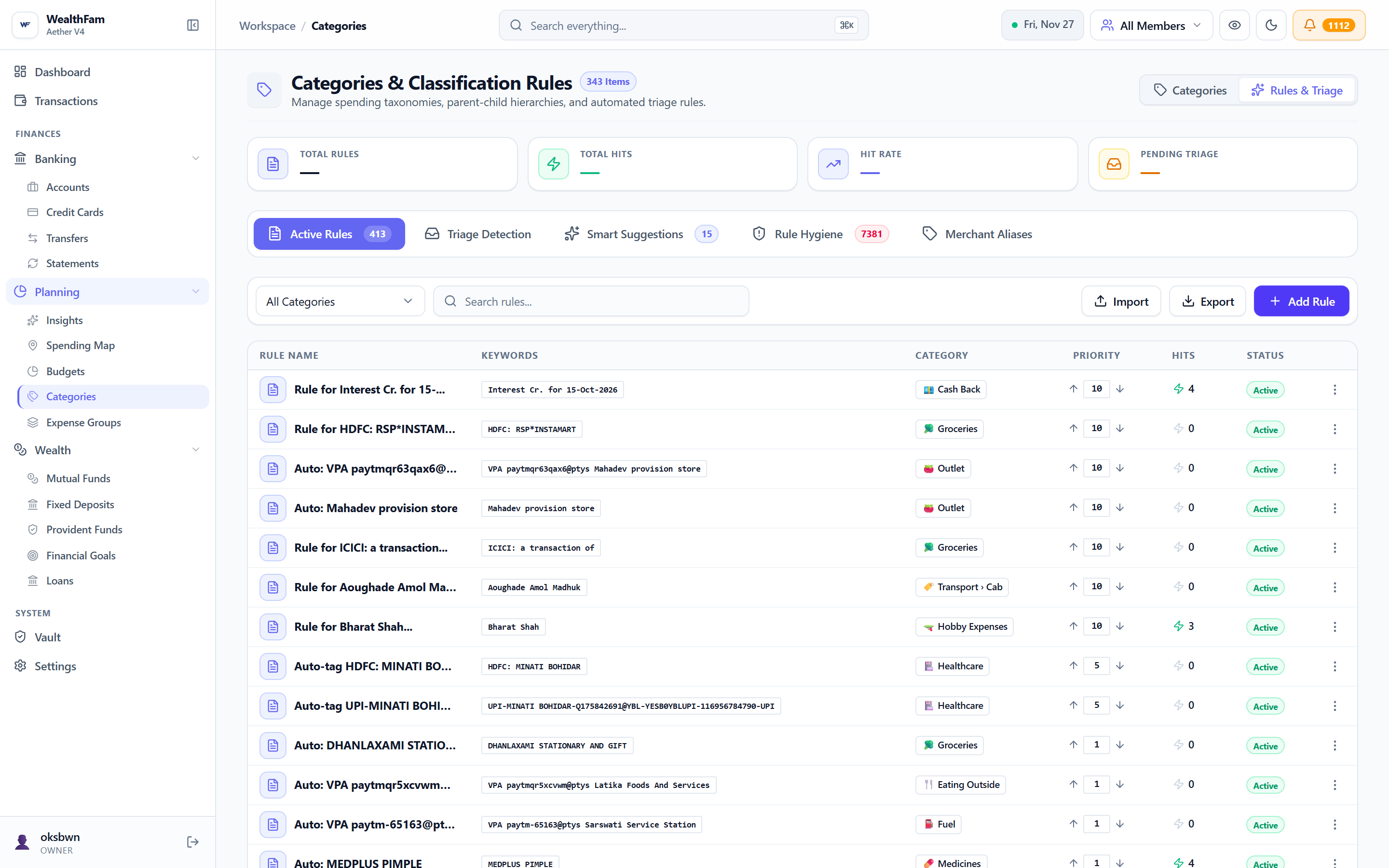
- Priority-Ordered Keyword Rules: Set specialized rules (e.g., "AWS" → Work/Cloud at Priority 10) above generic ones (e.g., "Amazon" → Shopping at Priority 1). Rules can also auto-mark Transfers or Exclude from Reports.
- Review Prioritization: Rules matching items currently in your Triage Queue are automatically pinned to the top with an amber badge (⚡ X in Review).
- Rule Hygiene & Suggestions: Automatically spot overlapping rules and accept smart rule suggestions.
- Merchant Aliases with Retroactive Rename: Map noisy bank text like "AMZN MKTP IN" to clean "Amazon"—check "Apply to existing transactions" to preview and rename matching history across SMS, Email, PDFs, and CSVs.
app.wealthfam.in/categories
 Tap to zoom